
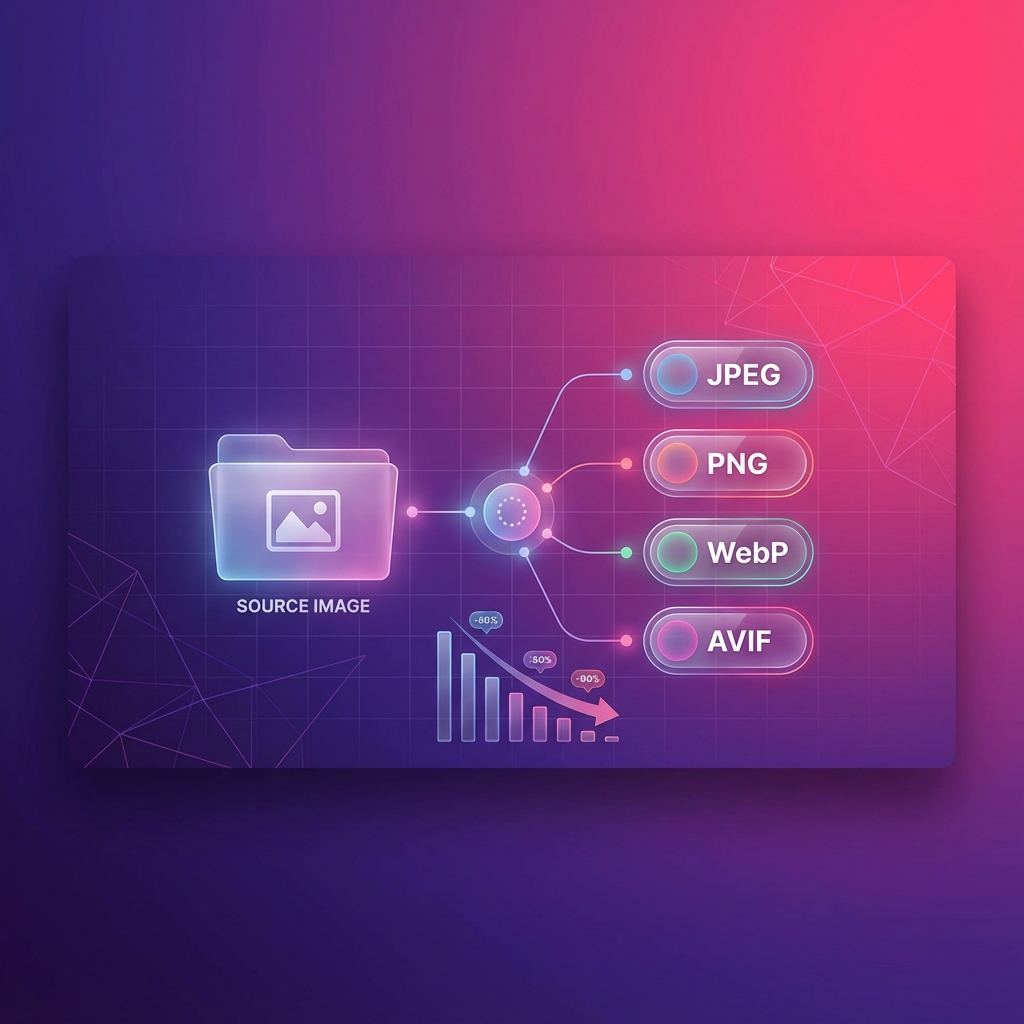
We're excited to announce a highly-requested feature for Squoosh: Output Format Selection. Now you can compress your images AND convert them to a different format in a single step—all while keeping everything local and private.
What's New?
Previously, Squoosh preserved the original format of your images during compression. While this worked great for most use cases, many users needed to convert images to more efficient formats like WebP or AVIF for web optimization.
With the new Output Format feature, you can now:
- Auto (default): Keep the original format, just like before
- JPEG: Convert to JPEG for maximum compatibility
- PNG: Convert to PNG for lossless quality
- WebP: Convert to WebP for excellent compression and broad browser support
- AVIF: Convert to AVIF for cutting-edge compression efficiency
Why Choose Squoosh? Comparing with Other Tools
There are many image processing tools available. Why should you choose Squoosh's output format feature? Let's compare:
vs. Desktop Software (Photoshop, GIMP)
| Feature | Squoosh | Photoshop / GIMP |
|---|---|---|
| Price | Completely free | Paid subscription / Free but complex |
| Installation | No install needed, works in browser | Requires GB-sized downloads |
| Learning Curve | Zero learning curve | Steep learning curve |
| Modern Formats | JPEG, PNG, WebP, AVIF built-in | Requires plugins for WebP/AVIF |
| Privacy | 100% local processing | Local processing |
| Batch Processing | Supported | Requires scripts or actions |
Advantage: For simple compression and format conversion, Squoosh requires no installation, no learning—just open your browser and go.
vs. Online Conversion Tools (TinyPNG, Compressor.io, etc.)
| Feature | Squoosh | TinyPNG / Compressor.io |
|---|---|---|
| Privacy | ✅ Fully local, images never uploaded | ❌ Images uploaded to servers |
| Speed | ✅ Instant processing, no upload wait | ⚠️ Depends on network speed |
| File Size Limits | ✅ No limits (depends on device memory) | ❌ Usually 5-10MB limit |
| Usage Limits | ✅ Unlimited | ❌ Free tier has restrictions |
| Offline Use | ✅ Works offline | ❌ Requires internet |
| Format Conversion | ✅ Compress + convert simultaneously | ❌ Most only compress, conversion needs separate tool |
Advantage: Squoosh's biggest differentiator is privacy—your images never leave your device. This is critical for sensitive business documents, personal photos, and client work.
vs. Command-Line Tools (cwebp, ffmpeg, ImageMagick)
| Feature | Squoosh | cwebp / ffmpeg / ImageMagick |
|---|---|---|
| Ease of Use | ✅ Visual interface, drag-and-drop | ❌ Requires learning CLI syntax |
| Live Preview | ✅ WYSIWYG | ❌ Must run command to see results |
| Quality Comparison | ✅ Built-in before/after comparison | ❌ Manual comparison needed |
| Batch Processing | ✅ Multi-file upload | ✅ Script-based batch |
| Target Audience | Everyone | Developers, DevOps |
Advantage: Squoosh provides real-time preview and quality comparison, letting you see compression results before export—eliminating trial-and-error parameter adjustments.
Key Advantages of Output Format Selection
1. One-Stop Processing: No More Tool-Hopping
Traditional workflow:
- Open image in Photoshop
- Export as PNG
- Open format converter to convert to WebP
- Use compression tool to optimize size
Squoosh workflow:
- Drop in image
- Select output format + compression preset
- Done in one click
You save not just time, but mental energy from context-switching between tools.
2. Smart Format Selection for Maximum Compression
Different formats excel in different scenarios:
| Format | Compression | Browser Support | Best Use Case |
|---|---|---|---|
| JPEG | ★★★☆☆ | 100% | Photos, complex images |
| PNG | ★★☆☆☆ | 100% | Transparency, icons, screenshots |
| WebP | ★★★★☆ | 97%+ | Web images—first choice for broad compatibility |
| AVIF | ★★★★★ | 93%+ | Maximum compression when supported |
Squoosh lets you choose based on your actual needs, no longer constrained by the original format.
3. Real Compression Results
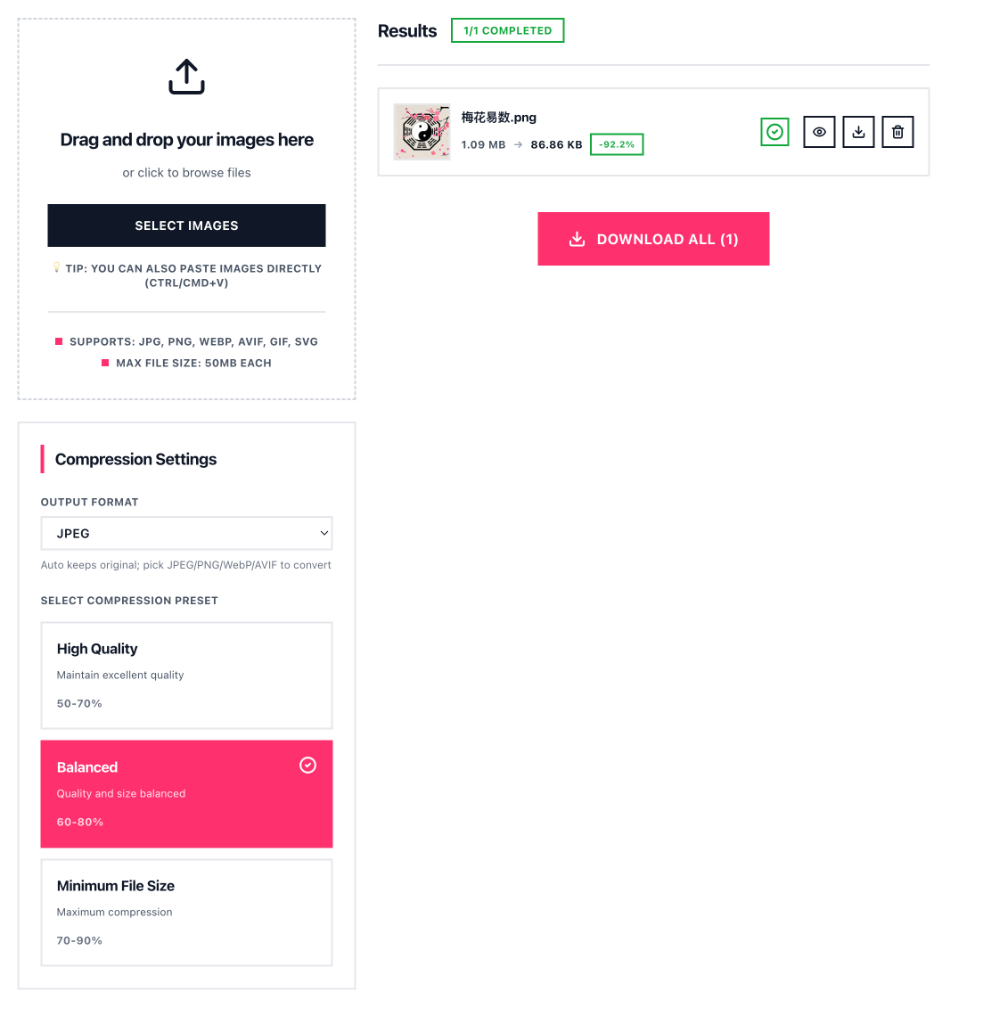
Using our tests, a 1.09 MB PNG screenshot:
| Output Format | Compressed Size | Reduction | Visual Quality |
|---|---|---|---|
| PNG (Balanced) | 245 KB | -77.5% | Lossless |
| JPEG (Balanced) | 86.86 KB | -92.2% | Excellent |
| WebP (Balanced) | 68 KB | -93.8% | Excellent |
| AVIF (Balanced) | 52 KB | -95.2% | Excellent |
This is the power of output format selection—the same source file can vary by 5x in size depending on format choice.
4. Enterprise-Grade Privacy Without Enterprise Costs
More companies have strict data security requirements for image processing. Squoosh's local-only approach means:
- ✅ Compliant with GDPR, HIPAA, and other data protection regulations
- ✅ Safe for NDA-protected design files
- ✅ Works with screenshots containing sensitive information
- ✅ No risk of third-party data breaches
How to Use Output Format Selection
- Visit squoosh.oneimage.co
- Upload your images (drag & drop, click to browse, or paste directly)
- In the Compression Settings panel, find the Output Format dropdown
- Select your desired format: Auto, JPEG, PNG, WebP, or AVIF
- Choose your compression preset (High Quality, Balanced, or Minimum File Size)
- Click Compress and download your optimized images
The hint below the dropdown reminds you: _"Auto keeps original; pick JPEG/PNG/WebP/AVIF to convert"_
Combine with Compression Presets
The output format feature works seamlessly with our existing compression presets:
| Preset | Compression Range | Best For |
|---|---|---|
| High Quality | 50–70% reduction | Professional photos, detailed graphics |
| Balanced | 60–80% reduction | General web images, social media |
| Minimum File Size | 70–90% reduction | Thumbnails, quick previews |
Real-World Use Cases
E-Commerce Operations
You have 500 product images to upload to your store. They're all PNG format, 2-3 MB each.
With Squoosh: Select WebP format + Balanced preset, batch process to 100-200 KB each. Page load speeds improve 10x+ while keeping product details sharp.
Blog Writing
You want to include multiple screenshots in your article but worry about page load times.
With Squoosh: Screenshots are usually PNG. Convert to WebP for 80%+ size reduction, dramatically improving reader experience.
Design Delivery
Client requests JPEG format for final deliverables, but your working files are PNG.
With Squoosh: One-click conversion with quality control ensures deliverables meet requirements while maintaining image quality.
Works Great with Other OneImage Tools
Squoosh's new output format feature fits naturally into your image workflow:
- Crop — Frame your image perfectly
- Resize — Scale to the right dimensions
- Squoosh — Compress AND convert with the new output format feature
- EXIF Remover — Strip metadata before sharing
- Blur — Redact sensitive information
- Overlay — Add watermarks or branding
Browser Extension Available
Need even faster access? Our Squoosh browser extension brings all these features—including output format selection—right to your browser toolbar. Compress and convert images without even opening a new tab.
Try It Now
Head over to squoosh.oneimage.co and try the new output format selection feature. Whether you're optimizing images for a website, preparing graphics for social media, or just cleaning up your photo library, Squoosh makes it simple, fast, and private.
Have feedback or feature requests? We'd love to hear from you at support@oneimage.co.
— The OneImage Team